Free favicon generator — every size, every platform
Favicon generator for any site — upload one image, get every size and format you need in a single ZIP. No Photoshop, no account, nothing to install. Everything runs in your browser.
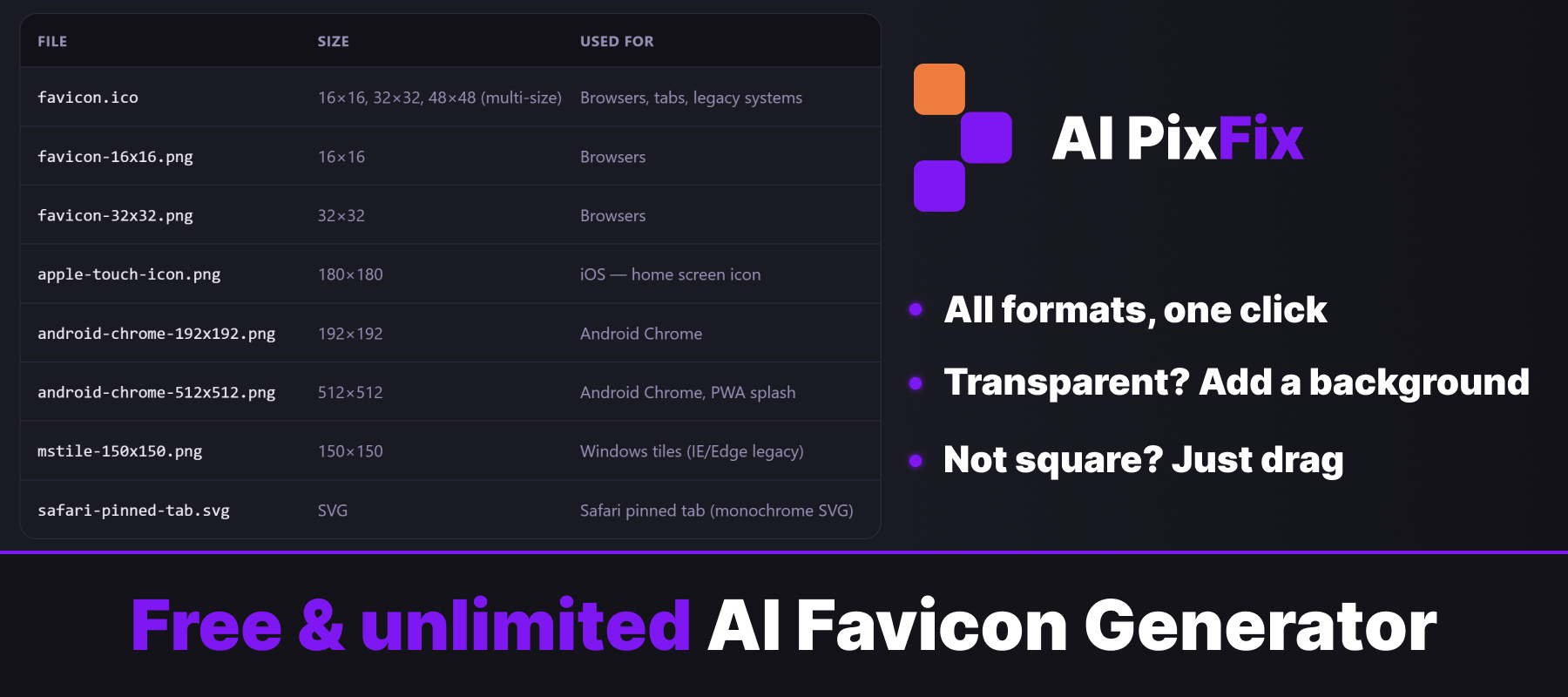
A modern site needs more than a single .ico file. When you create a favicon today, you need favicon.ico for browsers, apple-touch-icon for iOS, 192×192 and 512×512 PNGs for Android Chrome, an MS tile for Windows — plus site.webmanifest and browserconfig.xml so the browser knows where to find them. This favicon generator outputs all of it from one source image.
Drop a PNG or SVG, crop to a square if needed, pick which formats you want, and download a ready-to-deploy archive. Just unzip into your site's root and link the files from your HTML head. The whole process takes under a minute.
When you create a favicon with this tool, nothing leaves your device — everything runs locally, nothing is uploaded to a server, nothing is stored. Free and unlimited, no sign-up required.
How to use
- 1Upload your image — Drop a square PNG or SVG (at least 512×512 recommended). If it's not square, crop it in the next step.
- 2Choose formats — Confirm all default formats or click rows to exclude any you don't need.
- 3Generate the archive — Click Save archive — every selected size and manifest file is bundled into a ZIP.
- 4Download and install — Download the ZIP, drop the files in your site's root, and link them from your HTML head.
Frequently Asked Questions
Is this favicon generator free?
Yes — completely free, no account, no watermarks, no daily limits.
Does my image get uploaded?
No. Everything runs in your browser. Your image is never sent to a server.
What input formats are supported?
PNG, SVG, JPG, and WebP. SVG and PNG at 512×512 or larger give the sharpest result.
What's inside the archive?
favicon.ico (16/32/48 multi-size), favicon-16x16.png, favicon-32x32.png, apple-touch-icon.png (180), android-chrome-192x192.png, android-chrome-512x512.png, mstile-150x150.png, safari-pinned-tab.svg, plus site.webmanifest and browserconfig.xml.
What if my image isn't square?
We show a square crop preview — drag the image inside the frame to choose what to keep, then confirm.
Can I skip formats I don't need?
Yes. Before generating, you can click any row in the format table to exclude it. Manifest files are always included.
How do I install the favicons on my site?
Place all files in the root of your site and reference them in your HTML head: <link rel="icon" href="/favicon.ico">, <link rel="apple-touch-icon" href="/apple-touch-icon.png">, <link rel="manifest" href="/site.webmanifest">, etc.